Free and open source · Chrome · Edge · Firefox · No account, no tracking · Formerly Spotify Karaoke





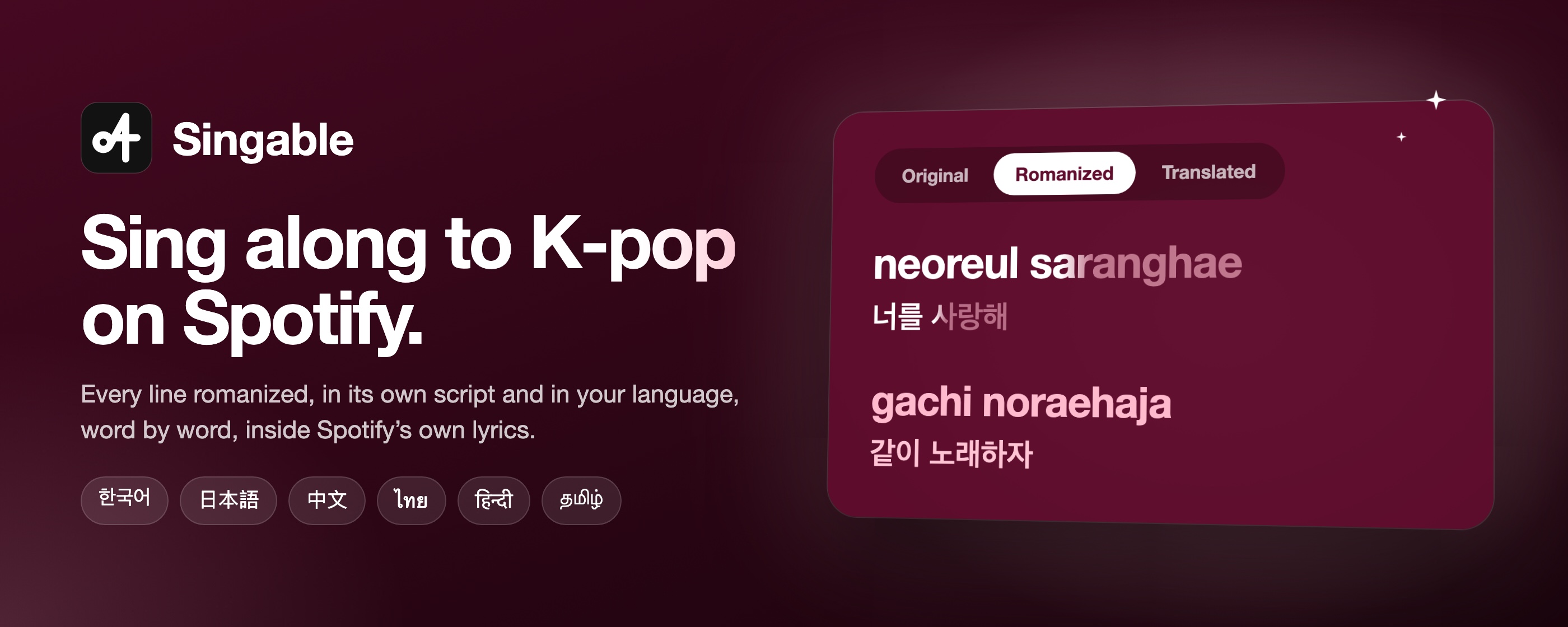
You know the chorus by sound, not by letter. Singable shows every line of a K-pop or J-pop song in letters you can sing, with the Hangul or Japanese beneath it, inside Spotify’s own lyrics view and in time with the song. One switch adds the meaning in your own language: Han/Rom/Eng, like a lyric video, without one open in another tab. It does the same for Chinese, Thai, Hindi, Tamil and every other script it knows.
At a glance
| What it is | A browser extension for Spotify’s web player (open.spotify.com) |
| What it does | Shows K-pop and J-pop lyrics romanized with their own script beneath, translated into your language, or all three at once. Also romanizes Chinese, Thai, Hindi, Tamil, Telugu, Punjabi and the other Indian languages, Arabic, Russian and more, restores the original script when Spotify shows romanized lyrics, finds lyrics for songs Spotify has none for, and, on songs fans have timed, fills each line in word by word as it’s sung |
| Works in | Chrome, Edge, Brave and other Chromium browsers; Firefox 142+ — on the desktop. Not the Spotify desktop app or the mobile apps |
| Spotify account | Free or Premium |
| Price | Free, open source (MIT) |
| Privacy | No account, no analytics, nothing about you sent to the developer. Lyric lines go to Google Translate and, for AI translations, to Singable’s translation server. What is sent where |
Features
Romanized the way it’s sung
Pick Romanized and every line turns into Latin letters you can sing, with the original right below it, in Spotify’s own lyrics view, scrolling with the song as it always does.
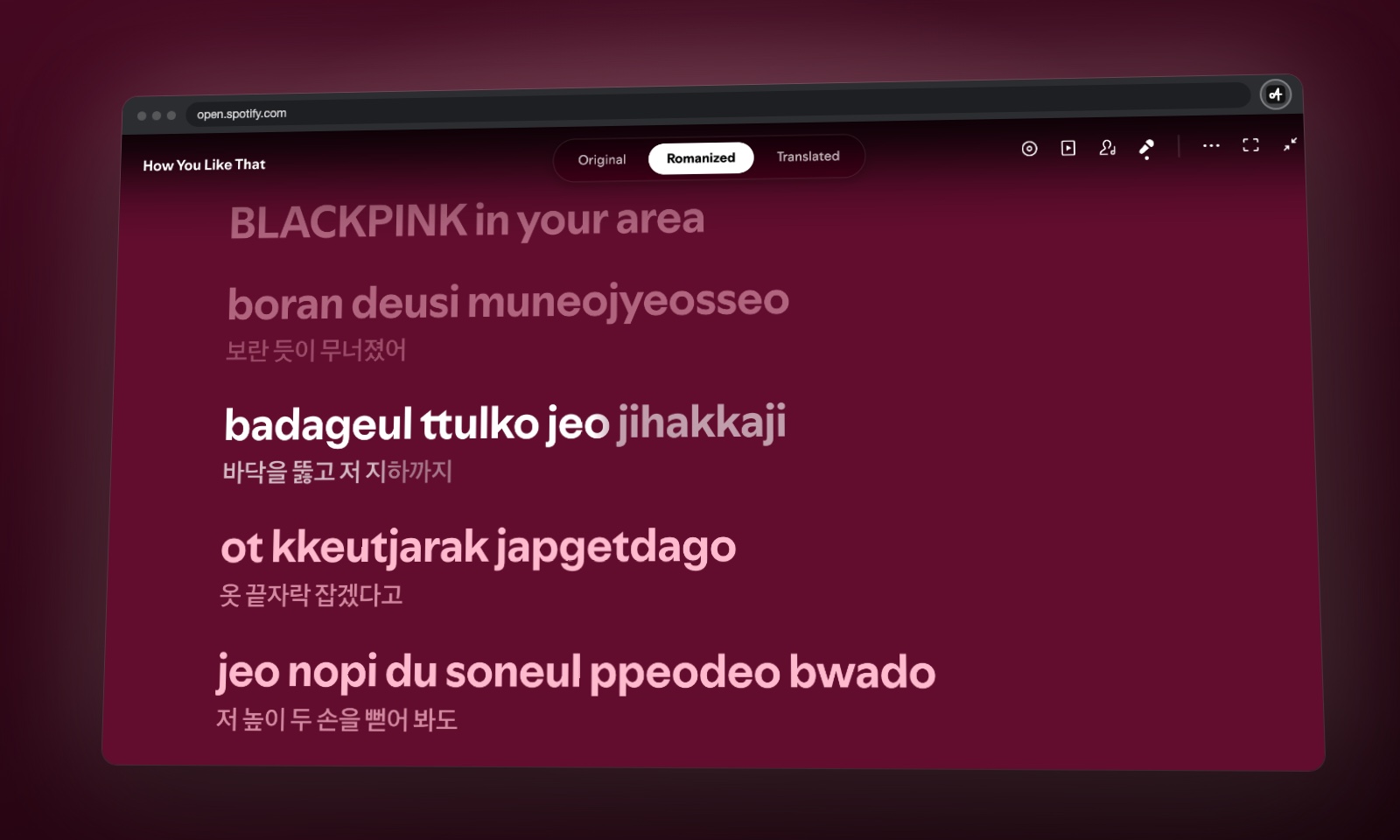
Korean is spelled as it’s pronounced, the way fans write it: gachi, not gati; joahae, not johahae. Japanese is read word by word (は “wa”, を “o”). English lines stay as they are.
Han/Rom/Eng, one switch away
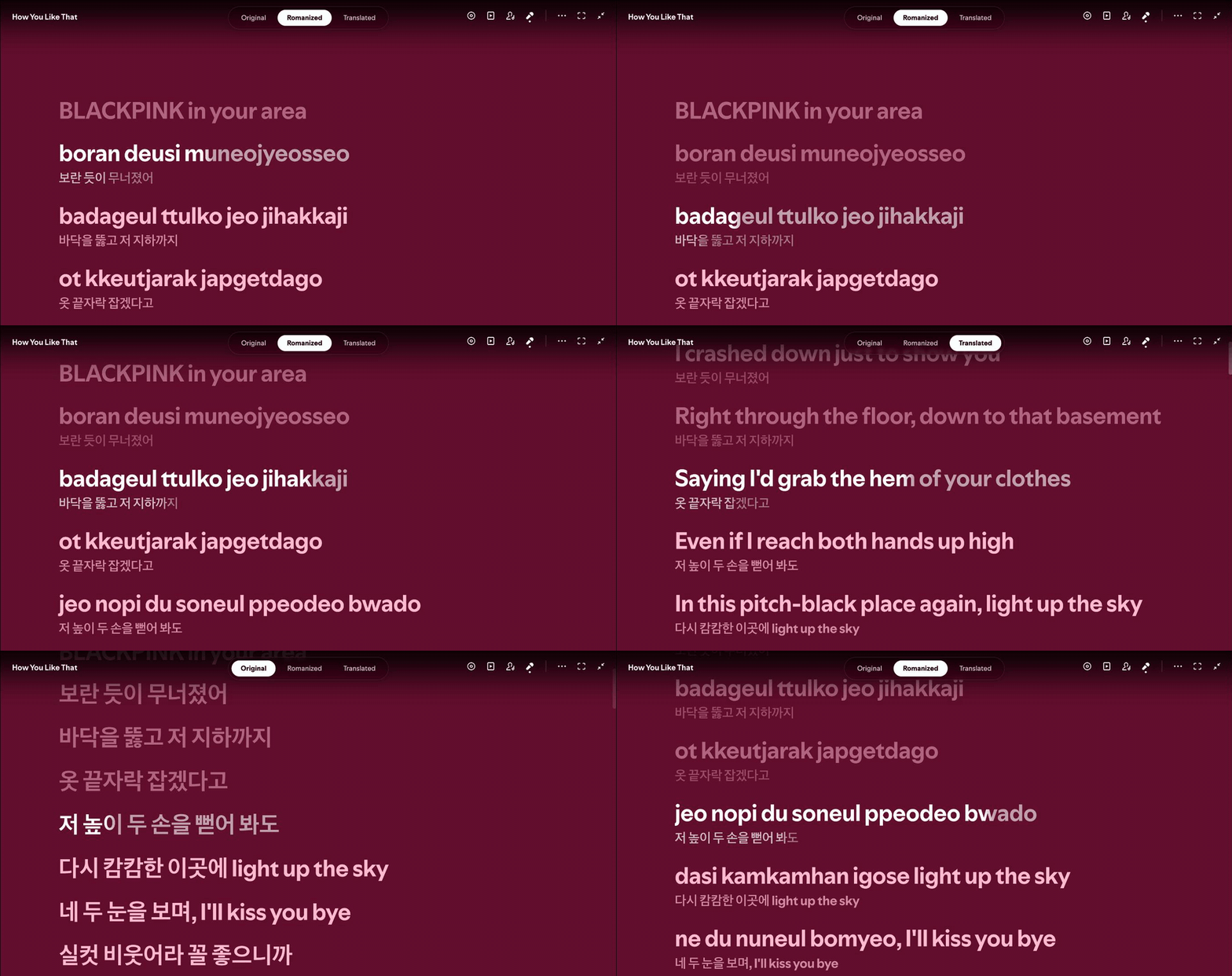
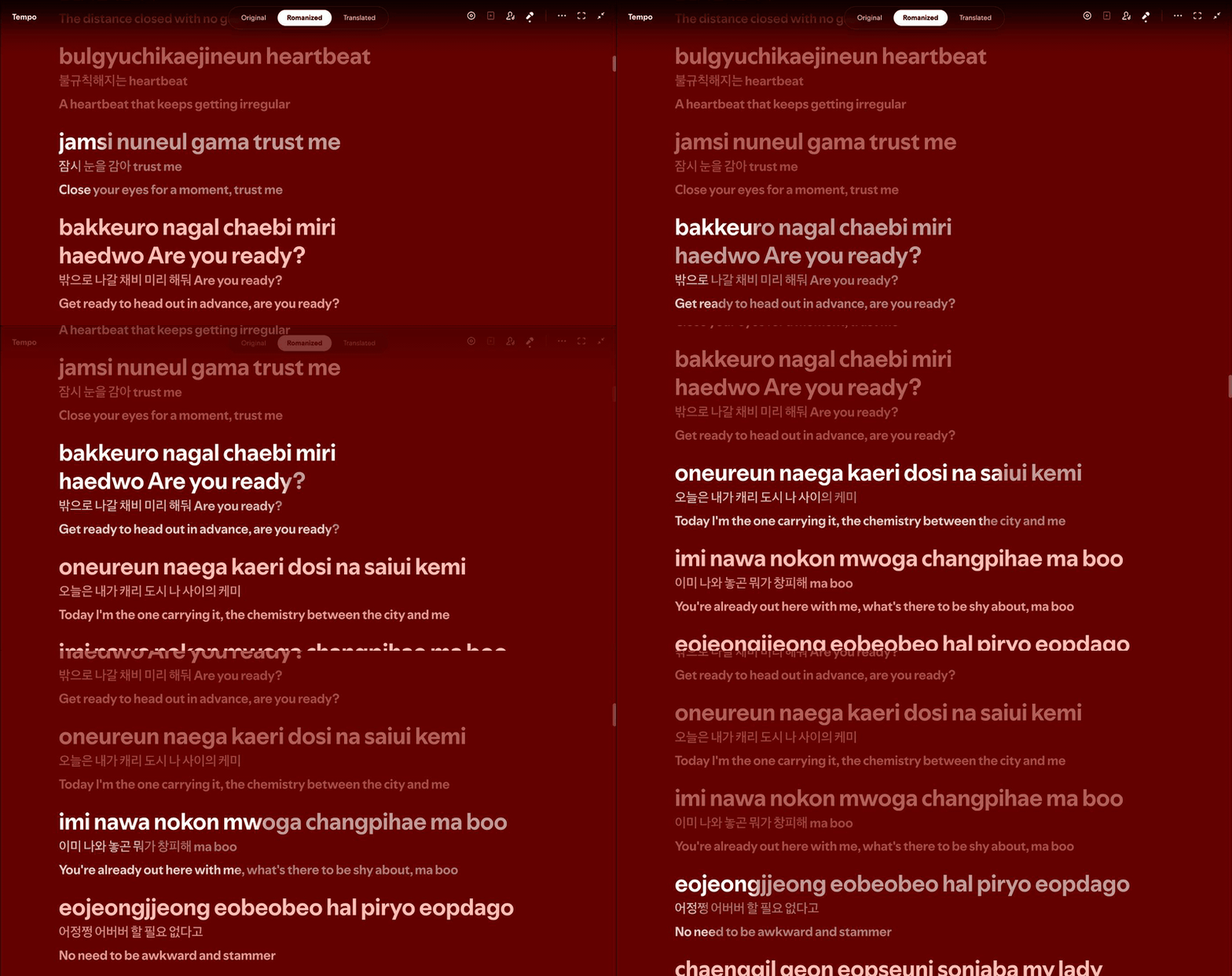
Turn on All three lines in the popup and every line shows its romanization, the original and the translation together, the way lyric videos lay them out.
Never lose your place in a fast verse
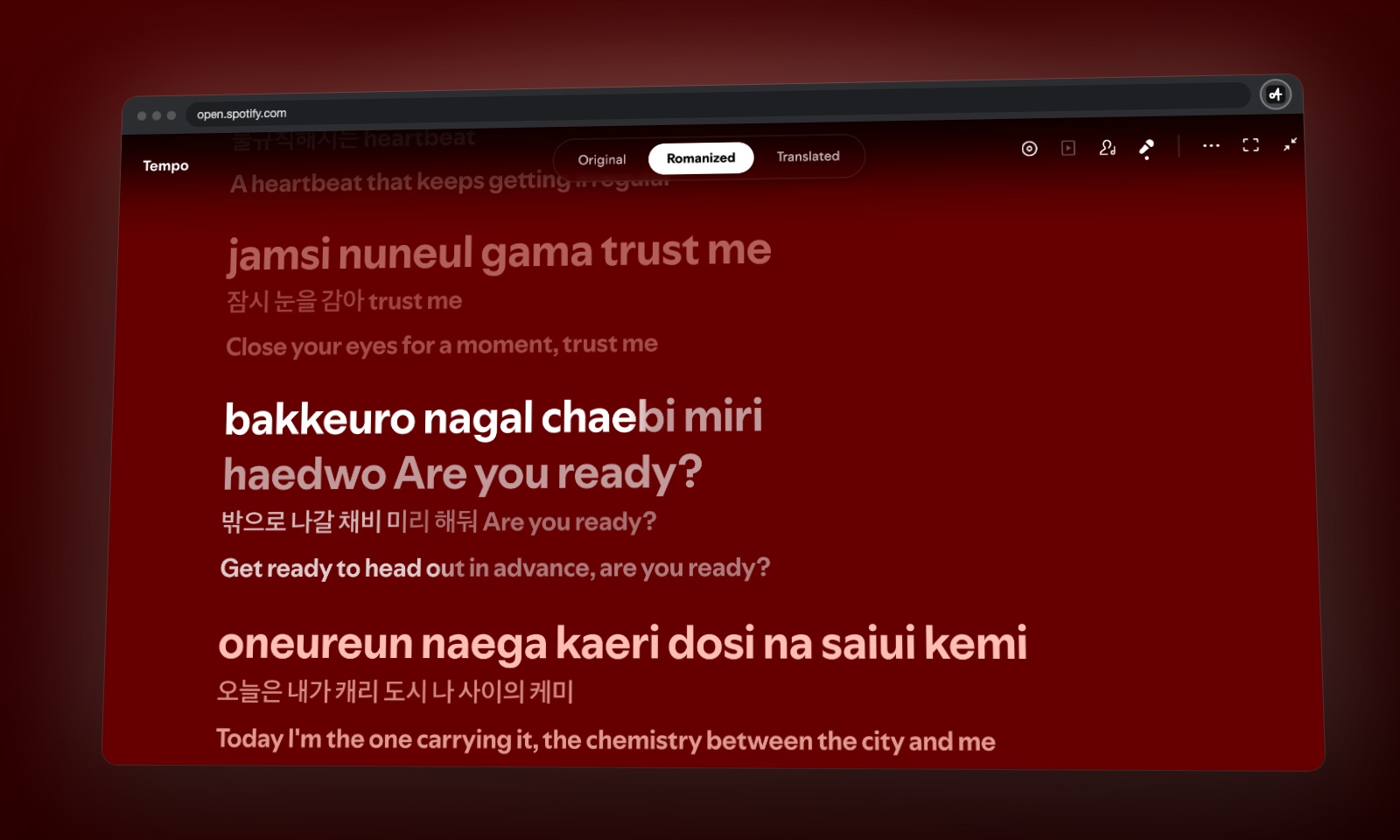
On songs timed word by word, the line fills in as it’s sung: the romanization, the Hangul and the translation together, right on the beat. Songs without word timing keep Spotify’s line-by-line highlight. Word by word in the popup turns it off.
In your language, not only English
Pick Translated and each line is translated into your language — Indonesian, Spanish, Portuguese, Filipino or any of over 130 — with the original below it. One request per song, so it’s quick and stays quick. In 20 languages, among them English, Spanish, Portuguese, Indonesian, Japanese and Hindi, an AI translation then takes over: more natural, and shared, so a song someone has already played is instant.
Every other script too
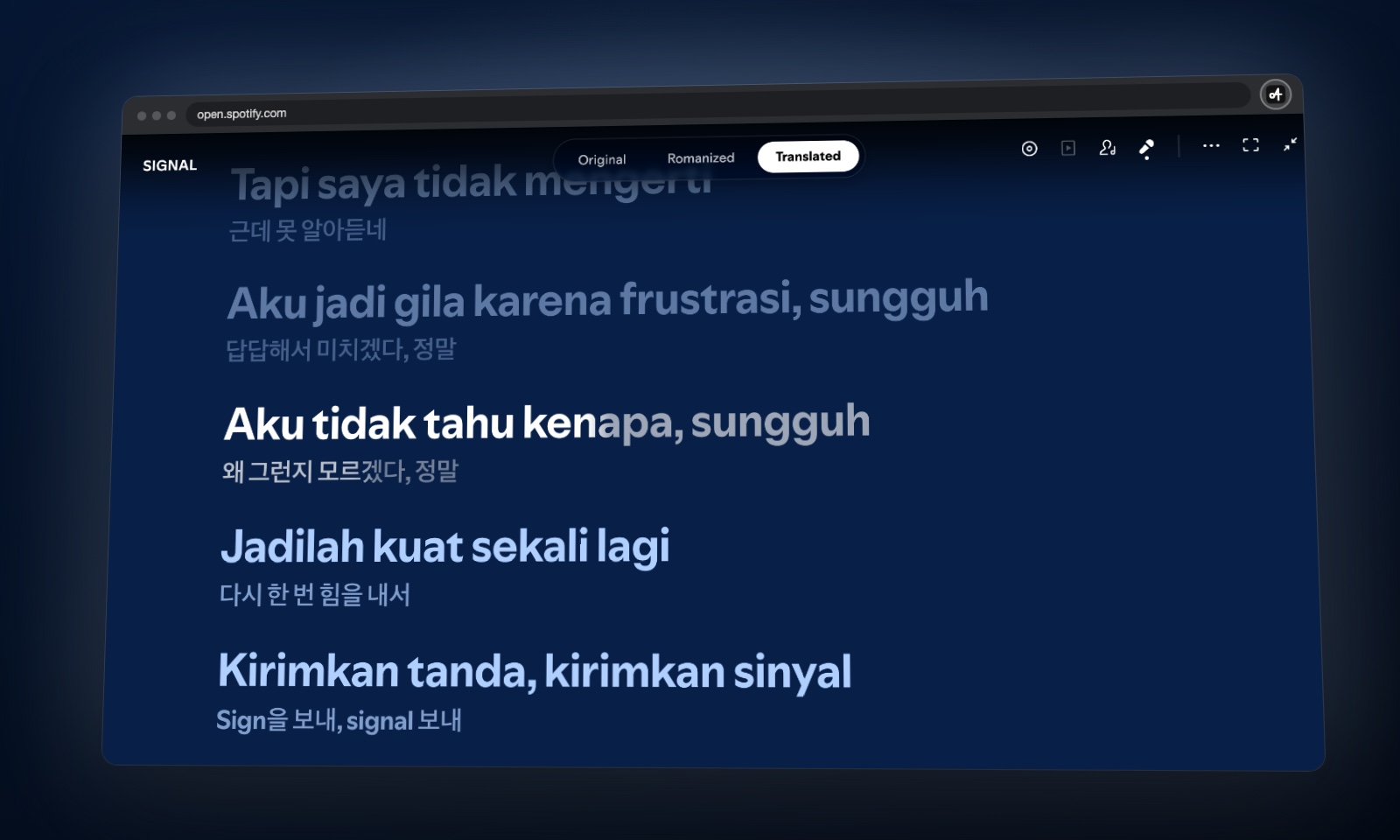
Chinese pinyin, Thai, Hindi, Tamil, Telugu, Malayalam, Kannada, Punjabi and the other Indian scripts, Cyrillic, Arabic, Hebrew and more. Indian languages are spelled the way listeners write lyrics: mera dil tera hai, kuchh to hai, sajjna.
The original script, restored
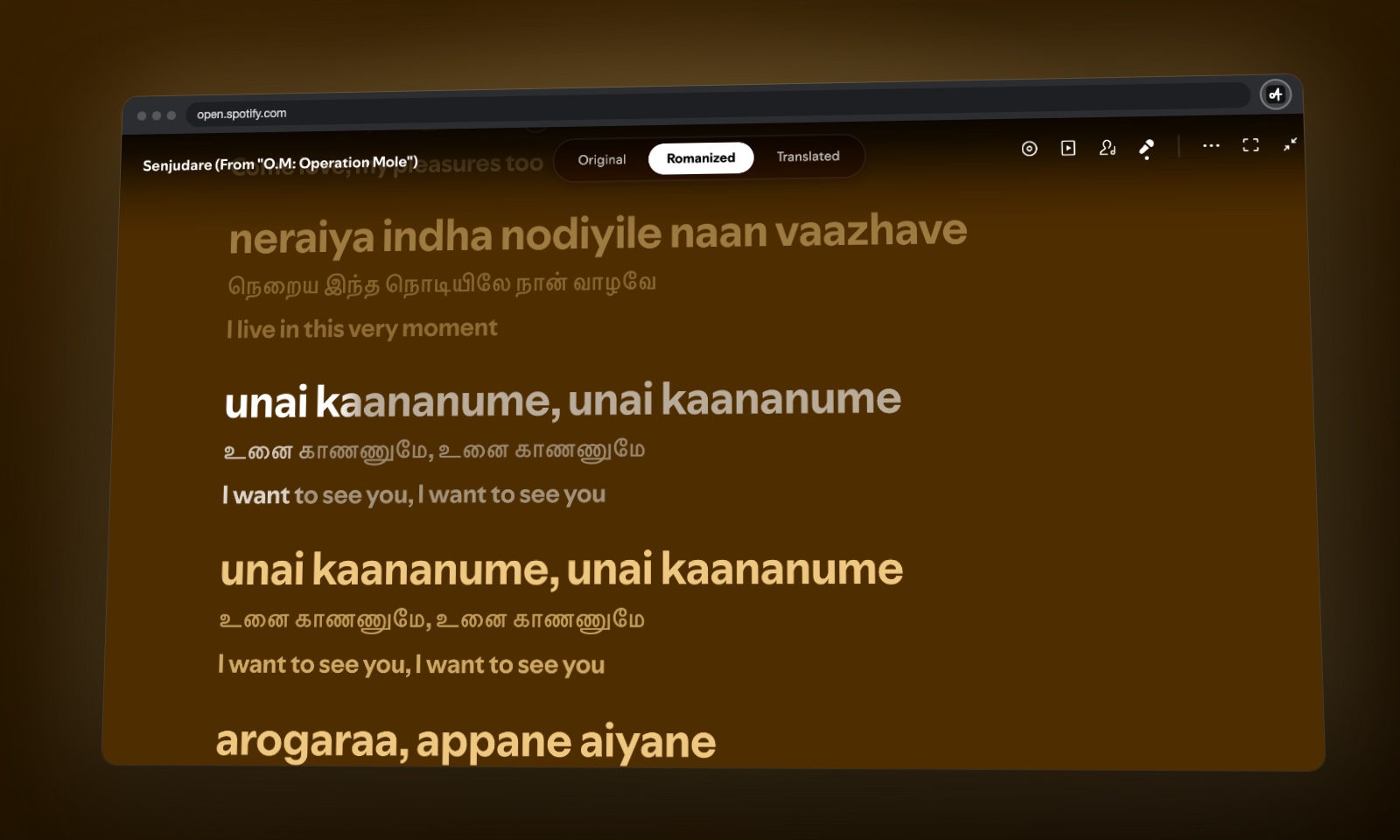
Spotify often shows songs in Hindi, Tamil, Punjabi and other languages in Latin letters, even though they’re written in their own script. Singable finds the lyrics in the song’s own script on YouTube Music or LRCLIB and Spotify shows those instead — checked line by line to be the same song.
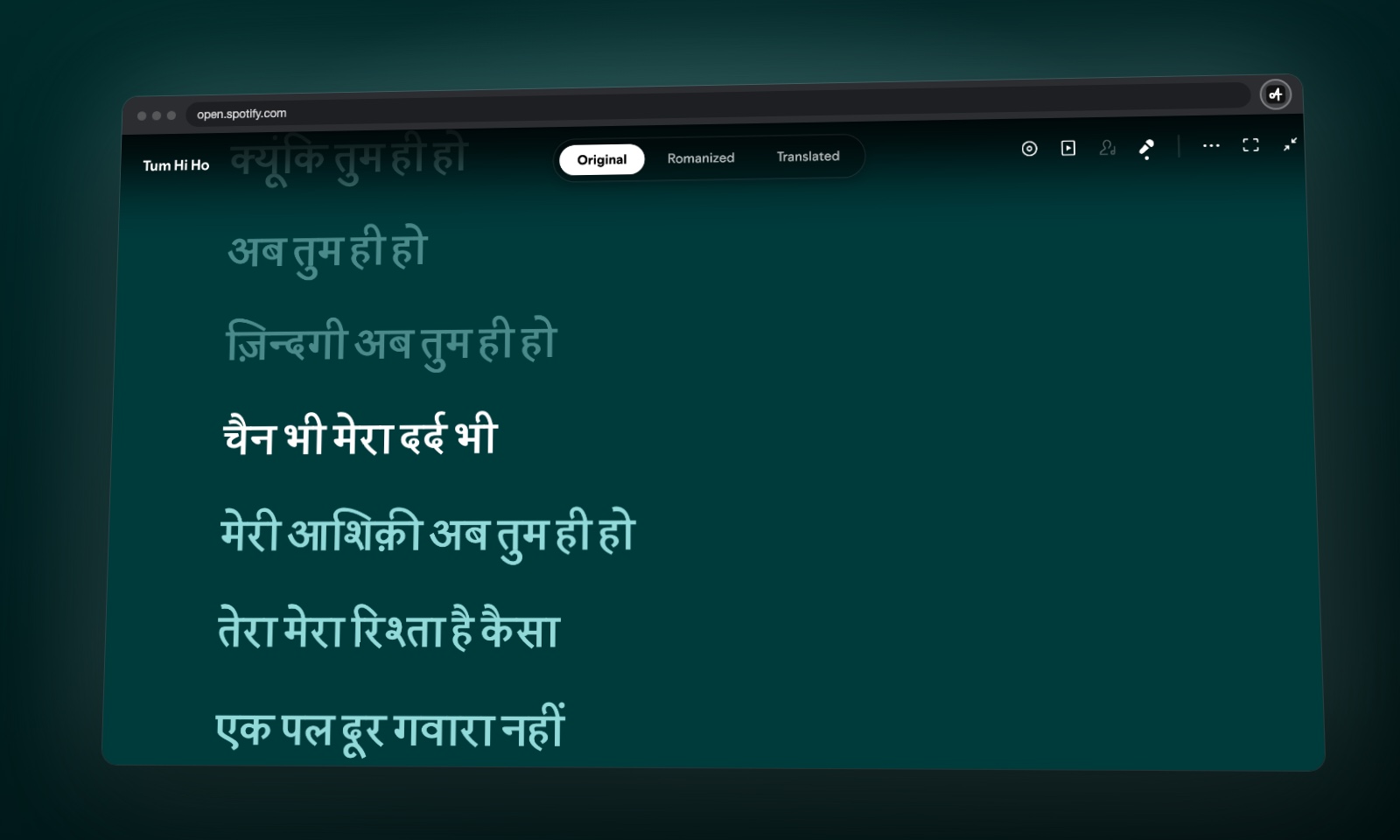
Romanization and translation then work from the real text, which makes both far better.
Lyrics for songs Spotify has none for
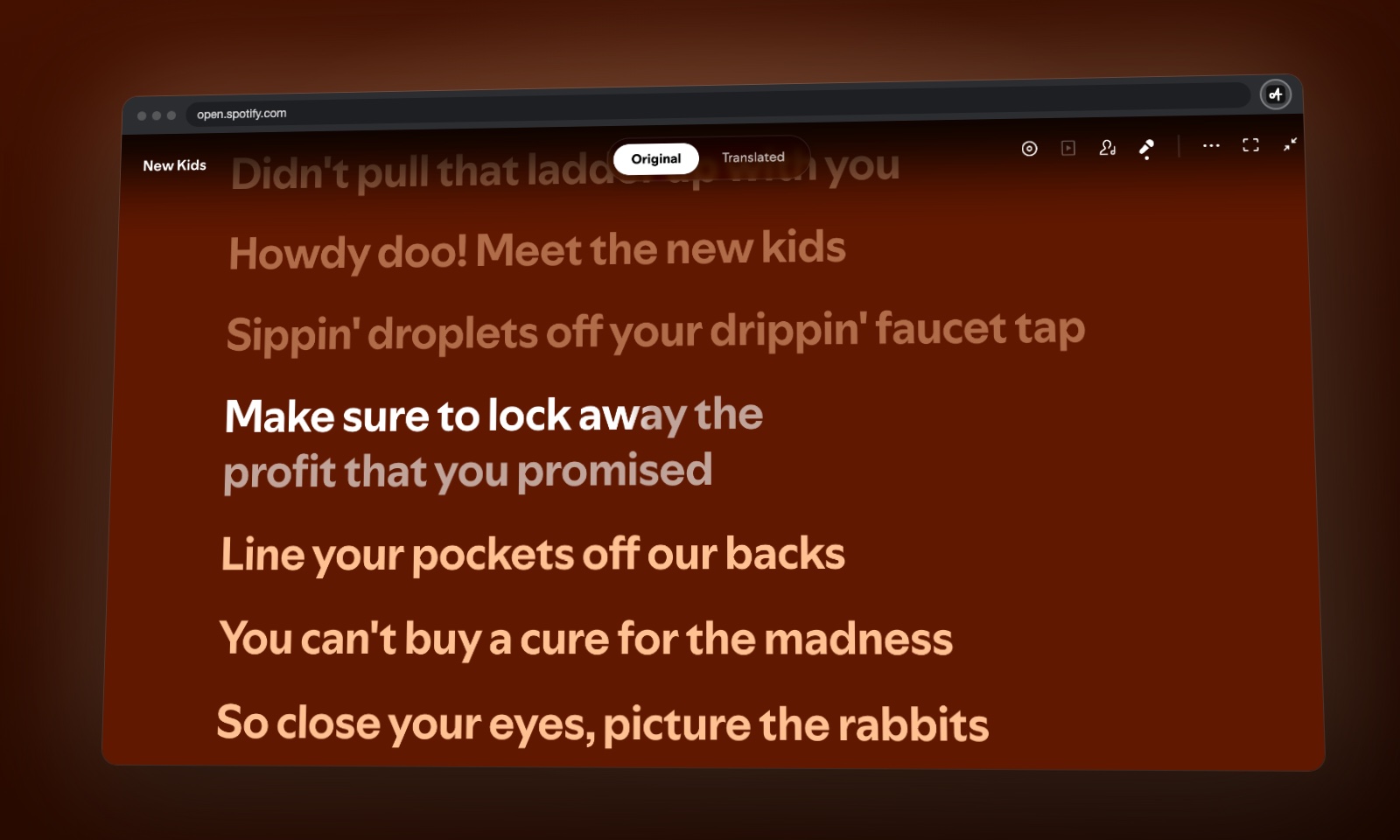
When Spotify has no lyrics, the extension looks for them elsewhere, and Spotify shows what it finds in its own lyrics view, synced and credited. When Spotify only has unsynced lyrics, a synced copy takes their place.
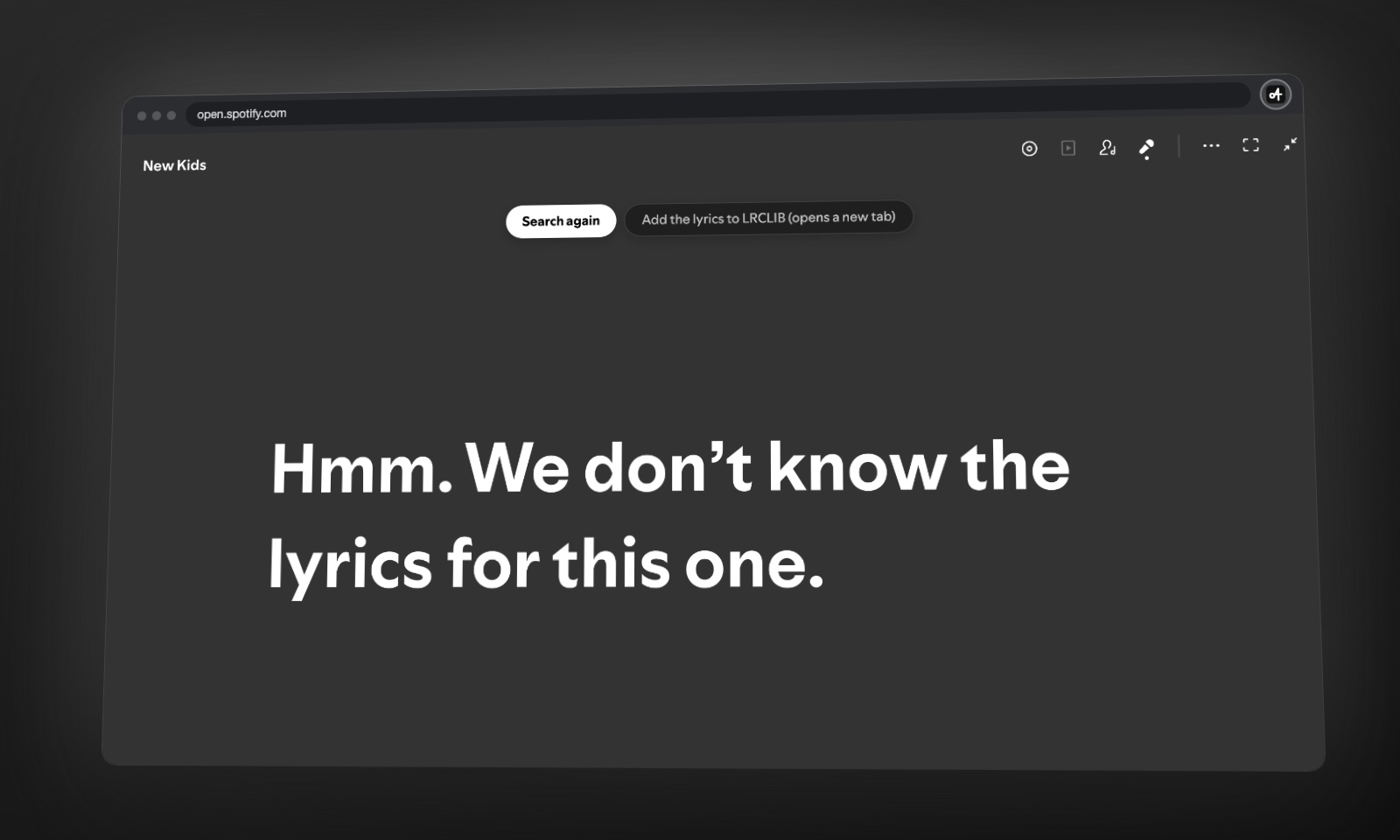
If no lyrics exist anywhere, the lyrics view says so, with Search again and Add lyrics to LRCLIB — share them once and everyone gets them.
And more
- Two lines — the main line with the original beneath it (on by default), or the main line alone.
- Wrong lyrics? — one click in the popup sends a song back to Spotify’s own lyrics, with Undo.
- Everywhere Spotify shows lyrics — the expanded Now Playing view, the lyrics card in the sidebar, and the mini player.
- Synced across your devices — your choices follow you through your browser’s sync.
- Spotify stays Spotify — scrolling, click-to-seek, colours and layouts are Spotify’s own. While lines fill in word by word, the line lit follows the song’s audio, in Spotify’s own colours.
Install
| Browser | Get it |
|---|---|
| Chrome, Brave, Opera, Vivaldi | Chrome Web Store |
| Firefox 142+ | Firefox Add-ons |
| Microsoft Edge | Edge Add-ons |
Then open open.spotify.com, play a song and click Spotify’s Lyrics button (the microphone in the player bar). Spotify tabs that are already open pick the extension up on their own.
Install from a release zip instead (developer mode)
- Download the zip for your browser from the Releases page and extract it.
- Chrome / Edge: open
chrome://extensions(oredge://extensions), turn on Developer mode, click Load unpacked and pick the extracted folder. - Firefox: open
about:debugging#/runtime/this-firefox, click Load Temporary Add-on… and pickmanifest.jsonin the extracted folder. Temporary add-ons are removed when Firefox restarts; use the store for a permanent install.
How to use it
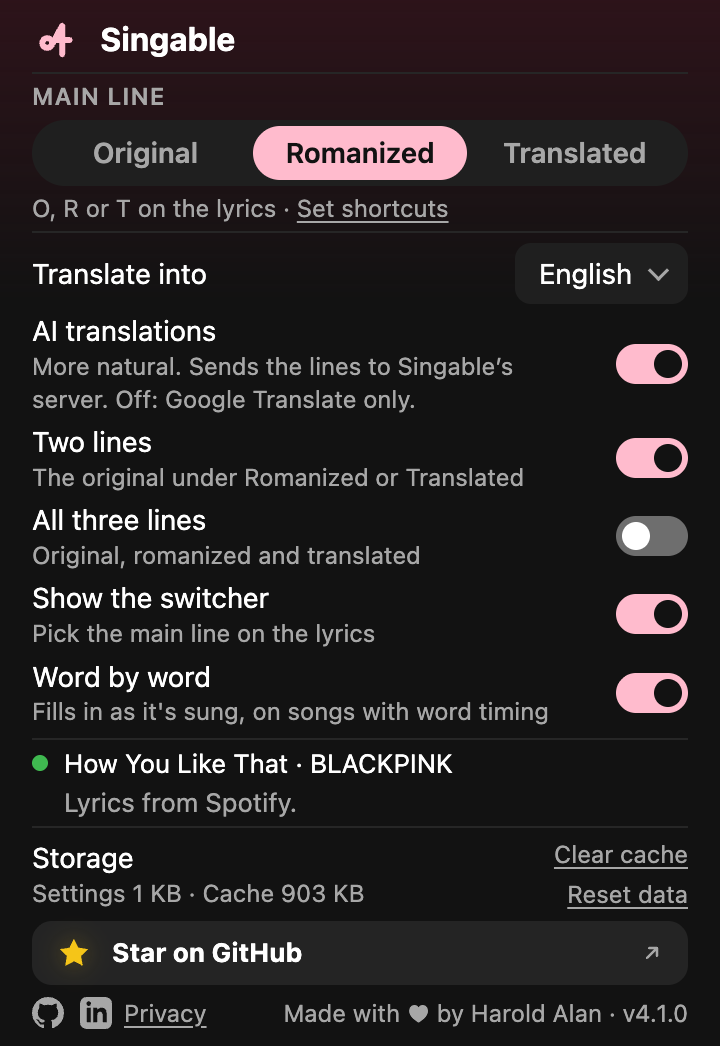
- The switcher at the top of Spotify’s lyrics:
Original·Romanized·Translated. For a Latin-script song it offers Original and Translated; for a song already in your language it stays out of the way. - Keys with the lyrics open:
O,R,T. From anywhere in the browser:Alt+Shift+O,Alt+Shift+R,Alt+Shift+T(change them on your browser’s shortcuts page). - The popup (click the extension’s icon): the main line, the language to translate into, Two lines, All three lines, Show the switcher, the song playing with Search again or Wrong lyrics?, and storage.
Languages and scripts
| Script | Languages | Romanized |
|---|---|---|
| Hangul | Korean | On your device, as it’s pronounced (같이 “gachi”, 없어 “eopseo”) |
| Kanji and kana | Japanese | On your device, word by word, as pronounced (は “wa”, を “o”) |
| Devanagari, Gurmukhi, Gujarati, Bengali, Odia, Telugu, Kannada, Malayalam, Tamil | Hindi, Marathi, Nepali, Punjabi, Gujarati, Bengali, Odia, Telugu, Kannada, Malayalam, Tamil | On your device, spelled the way lyrics are written |
| Hanzi | Chinese | On your device, pinyin with tones |
| Cyrillic | Russian, Ukrainian, Bulgarian, Serbian and more | On your device |
| Thai | Thai | On your device, word by word |
| Greek, Georgian, Armenian | Greek, Georgian, Armenian | On your device |
| Arabic, Hebrew, Lao, Khmer, Burmese, Sinhala, Ethiopic | Arabic, Persian, Urdu, Hebrew, Lao, Khmer, Burmese, Sinhala, Amharic | By Google Translate |
Translation into over 130 languages is by Google Translate; AI translations (DeepSeek, through Singable’s own server) replace Google’s when they arrive, in the languages that server translates into, and AI translations in the popup turns them off. Japanese kanji the on-device dictionary doesn’t know are read by Google too. A line that mixes scripts — a Hindi phrase in a Tamil song, an English hook in a K-pop song — is romanized part by part, and English stays as it is.
FAQ
How do I get romanized K-pop lyrics on Spotify? Install Singable, open a song’s lyrics on open.spotify.com and pick Romanized. Korean and Japanese (romaji) first of all; Chinese, Thai, Hindi, Tamil, Telugu, Punjabi, Arabic, Russian and many more scripts too.
Can Spotify show Han/Rom/Eng lyrics, like a lyric video? With Singable, yes: turn on All three lines in the popup and each line shows the romanization, the Hangul and the translation, in time with the song.
Is this Spotify Karaoke? Yes: Spotify Karaoke is now called Singable. Same extension, same settings, updated in place. The new name says what it’s for (singing along), and an extension’s name shouldn’t borrow Spotify’s.
Can the lyrics fill in word by word as the song goes? Yes, on songs timed word by word: each line fills in as it’s sung, so you can follow a fast rap verse word for word. Not every song is timed yet; the rest keep Spotify’s line-by-line highlight.
How do I translate Spotify lyrics into English (or my own language)? Pick Translated on the lyrics, and choose the language in the popup under Translate into.
Why does Spotify show Hindi, Tamil or Punjabi lyrics in English letters? Spotify’s lyrics provider often serves an automatic romanization for these songs. Singable restores the original script when a copy exists on YouTube Music or LRCLIB.
Spotify says “Lyrics aren’t available”. Can it still show lyrics? Yes, when LRCLIB or YouTube Music has them. If nobody does, you can add them to LRCLIB from the lyrics view.
Does it work in the Spotify desktop app or on my phone? No. It works in Spotify’s web player in Chrome, Edge, Brave and other Chromium browsers, and Firefox, on a computer.
Do I need Spotify Premium? No. Free and Premium both work. (The mini player is a Premium feature of Spotify’s.)
Is it free? Is it safe? Free and open source, under the MIT licence. No account, no analytics, nothing about you sent to the developer. Song titles go to LRCLIB, YouTube Music and Unison to find lyrics (and Unison for word timing), and lyric lines to Google Translate and Singable’s translation server to translate them — see the privacy policy.
Something’s wrong. What can I try?
- No lyrics showing: open them with Spotify’s Lyrics button (the microphone).
- Lyrics were found but Spotify still says there are none: Spotify keeps its answer until the page reloads; the extension offers to reload, now or after the song.
- The lyrics are for another song: Wrong lyrics? in the popup.
- Just added lyrics to LRCLIB: Search again looks right away (a song with no lyrics is otherwise checked again after 3 days).
- Anything else: Clear cache in the popup, then reload the Spotify tab. Still stuck? Open an issue.
Privacy
No account, no analytics, no ads, and nothing about you is ever sent to the developer. Settings sync through your browser; caches stay on your device. To do its job the extension sends a song’s title, artist, album and duration (and its ISRC code) to LRCLIB, YouTube Music and Unison (to Unison also for word timing, while Word by word is on), and its lyric lines to Google Translate and, for AI translations, to Singable’s translation server, which keeps the translations but not the lines. The privacy policy lists every request.
Singable is an independent open-source project, not affiliated with or endorsed by Spotify AB. Spotify is a trademark of Spotify AB.
For developers
git clone https://github.com/haroldalan/singable.git
cd singable
npm install
npm run build          # .output/chrome-mv3   (npm run build:firefox, npm run build:edge)
npm test               # unit tests
How it works: ARCHITECTURE.md — the short version is that Spotify’s lyrics view is never rebuilt; the extension changes the lyrics Spotify receives and how each line’s text is drawn. What it’s for: PROBLEM.md. The dev kit, live testing and releases: docs/development.md. Contributions are welcome — see CONTRIBUTING.md. What changed: CHANGELOG.md.
Support
Found a bug or have an idea? Open an issue or come say hi in the Discord. If Singable helps you sing along, a ⭐ on GitHub or a review on the Chrome Web Store, Firefox Add-ons or Edge Add-ons goes a long way — or buy me a coffee.
Made by Harold Alan · MIT licence